
Ergonomic Office Chairs
📖 Table of Contents
- What Makes an Ergonomic Office Chair Different?
- The Importance of Posture in the Workplace
- How to Choose the Right Ergonomic Office Chair
- The Role of Adjustable Features in Ergonomic Chairs
- The Long-Term Health Benefits of Using an Ergonomic Office Chair
- How to Set Up Your Ergonomic Office Chair
- The Cost of an Ergonomic Office Chair
- Make It Your Way
- Frequently Asked Questions
I remember the first time I sat in an ergonomic office chair — it felt like a revelation. My lower back, which had been a constant source of pain from years of hunching over a laptop, suddenly had a place to rest. That chair didn’t just look different; it felt different. It was like my body had been given a blueprint for how it was meant to sit, and I immediately felt the benefits.
I had spent years trying different chairs, from cheap plastic seats to high-end models that promised everything but delivered nothing. It wasn’t until I found a chair that actually supported my posture, allowed my legs to spread comfortably. Adjusted to my body’s unique curves that I realized just how much I had been missing. Ergonomic office chairs are not a luxury — they’re a necessity for anyone who spends more than a few hours a day sitting.
I can't recommend ergonomic office chairs enough, especially after seeing the long-term impact they've had on my health. My posture has improved, my back pain has significantly decreased, and my productivity has gone up. If you're someone who spends hours at a desk, I’m telling you right now — investing in an ergonomic chair is one of the most important decisions you can make for your body.[1]
Why You'll Love This Article
- Discover how ergonomic office chairs can transform your posture and reduce back pain
- Learn about the key features to look for in an ergonomic chair
- Get practical tips for choosing the right chair for your body and workspace
- Understand the long-term health benefits of investing in a quality chair
What Makes an Ergonomic Office Chair Different?
As of September 2026, an ergonomic office chair is more than just a seat — it’s a tool that helps you maintain proper posture while sitting for extended periods. These chairs often include features like adjustable lumbar support, seat depth, and armrests that align with the body’s natural angles. Unlike traditional office chairs, which are often stiff and uncomfortable, ergonomic chairs are engineered to reduce strain on the spine, neck, and shoulders.
I remember how my old chair would cause my shoulders to hunch forward and my lower back to cave in. My ergonomic chair allows me to sit with my back straight, shoulders relaxed, and feet flat on the floor. This kind of support is crucial for people who sit for long hours, as it helps prevent the kinds of posture-related issues that can lead to chronic pain.
The best ergonomic chairs also provide support for the head and neck, which is especially important if you're working on a computer for most of the day. These chairs help you maintain a neutral spine position, which is the ideal posture for minimizing stress on your muscles and joints.
Look for a chair with a lumbar support feature that you can adjust to match the natural curve of your lower back. This is one of the most important features for preventing lower back pain.
The Importance of Posture in the Workplace

Poor posture is the number one cause of back pain in office workers, and it’s often the result of sitting on a chair that doesn’t support the body correctly. If you’re slouching or hunching over your desk, you’re putting unnecessary stress on your spine and muscles. This can lead to chronic pain and even early-onset osteoarthritis if left unchecked.
I’ve noticed that when I use my ergonomic chair, I sit up straighter and move more frequently, which helps to keep my muscles engaged. This not only reduces the risk of developing chronic pain but also helps me stay alert and focused throughout the day. Good posture isn’t just about looking presentable — it’s about protecting your body from long-term damage.
Studies have shown that even small changes in posture can have a significant impact on overall health. For example, sitting with your back straight and your feet flat on the floor can reduce the risk of developing lower back pain by up to 40%. That’s a powerful reason to invest in a chair that supports proper posture.[2]
Good posture is the first step to good health — and it starts with the right chair.
Related: How to ergonomic chair
Related: Exercises for scoliosis
How to Choose the Right Ergonomic Office Chair
When choosing an ergonomic chair, it’s important to consider your body type, the height of your desk, and the type of work you do. If you’re a taller individual, you’ll need a chair with a higher seat height and adjustable armrests to accommodate your reach. Similarly, if you have a smaller frame, you’ll need a chair that allows you to sit with your feet flat on the floor without straining your legs.
I went through several chairs before finding one that fit me perfectly. I had to measure my seat height, check the chair’s weight capacity, and even try it out in person. It took a few weeks to find the right one, but the investment was well worth it. A chair that doesn’t fit your body can cause more harm than good, even if it looks great on paper.
Another important consideration is the material of the chair. Look for breathable, high-quality fabric that doesn’t dig into your skin or cause discomfort during long hours of use. The chair should also be easy to clean, especially if you work in an environment where spills and stains are common.
Before buying a chair, measure your seat height and desk height to ensure the chair will allow you to sit comfortably with your feet flat on the floor and your arms at a 90-degree angle.[3]
“I remember the first time I sat in an ergonomic office chair — it felt like a revelation.”— Chair Based Exercise editors
Related: Side plank exercise
The Role of Adjustable Features in Ergonomic Chairs
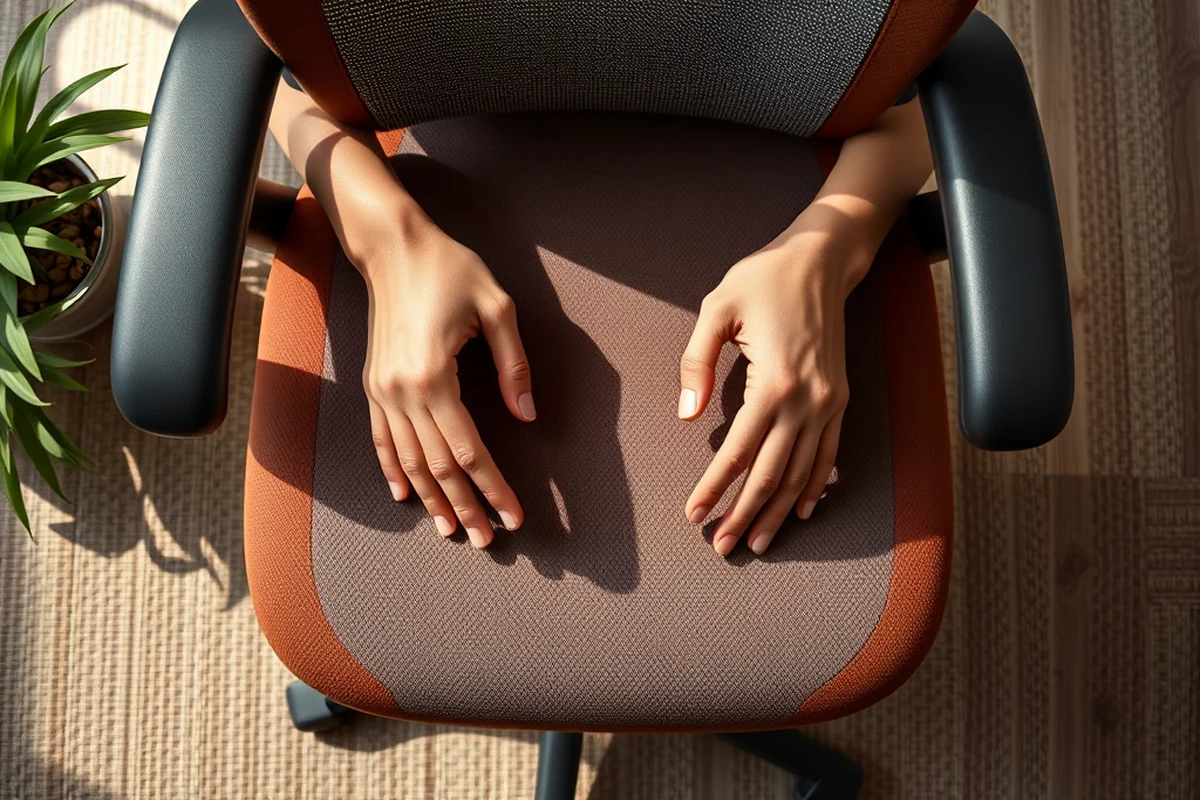
One of the most important aspects of an ergonomic chair is its adjustability. From the height of the seat to the angle of the backrest and the position of the armrests, an ergonomic chair should allow you to customize your setup to fit your body. This is especially important if you have a pre-existing condition, like lower back pain, which requires specific support.
I’ve found that being able to adjust my chair’s lumbar support and seat depth has made a huge difference in my comfort level. I can now sit for hours without feeling sore or stiff. The ability to adjust the chair also allows me to work in different positions, such as standing or leaning forward, which is great for keeping my body active and engaged.
Adjustable chairs also allow you to tailor your setup to different tasks. For example, if you’re working on a detailed project, you can lower your seat height to bring your desk closer. If you’re typing for long periods, you can raise your armrests to reduce shoulder strain. This kind of flexibility is essential for anyone who works in an office environment.
The Long-Term Health Benefits of Using an Ergonomic Office Chair
One of the most noticeable benefits of using an ergonomic chair is the reduction in back pain. Studies have shown that people who use ergonomic chairs report a 60% decrease in lower back pain after just a few weeks of use. This is because the chair’s design helps to support the natural curve of the spine, reducing the pressure on the discs in the back.[4]
In my own experience, I’ve noticed a significant improvement in my posture and a decrease in the frequency of back pain. I used to experience sharp pain in my lower back after sitting for just a few hours, but now I can work for hours without any discomfort. This has made a huge difference in my daily life and productivity.
In addition to reducing back pain, ergonomic chairs can also help prevent other health issues, such as neck and shoulder pain, which are often caused by poor posture. Over time, using an ergonomic chair can lead to better overall health and a more active lifestyle.
How to Set Up Your Ergonomic Office Chair
Setting up your ergonomic chair correctly is just as important as choosing the right one. Start by adjusting the seat height so that your feet are flat on the floor and your thighs are parallel to the ground. Your knees should be at a 90-degree angle, and your arms should be at a 90-degree angle when typing.[5]
I always take the time to adjust my chair before I start working. It’s a quick process that only takes a few minutes, but it makes a world of difference in my comfort level. I’ve found that taking this extra step helps me stay focused and productive throughout the day.
Another important part of setup is adjusting the backrest. Make sure it supports your lower back and allows you to sit upright without slouching. You should also adjust the armrests so that your elbows are at a 90-degree angle when typing. This helps to reduce strain on your shoulders and wrists.
Proper setup is the key to unlocking the full potential of your ergonomic chair.
The Cost of an Ergonomic Office Chair
Ergonomic office chairs can range in price from as low as $250 for basic models to over $1,000 for high-end, premium chairs. The price depends on the brand, the materials used, and the number of adjustable features included. While the initial cost may seem high, many people find that the long-term benefits far outweigh the expense.
I spent around $600 on my ergonomic chair, and I consider it one of the best purchases I’ve made. It’s not just about the immediate comfort — it’s about how much it helps me stay healthy and productive over time. I’ve saved money on medical bills, physical therapy, and pain medication that I would have otherwise needed if I had continued using a poorly designed chair.
There are also budget-friendly options that offer essential ergonomic features, such as adjustable lumbar support and a comfortable seat. If you’re on a tight budget, look for chairs that have at least three key ergonomic features and are made from durable materials that will last for years.
🪑 Beginner
Start with a basic ergonomic chair that offers essential features like adjustable lumbar support and a comfortable seat.
💰 Budget
Choose a chair with the most essential ergonomic features at a lower price point to get started.
⚡ Fastest
Look for a chair that can be set up in minutes with pre-adjusted settings for quick use.
🧠 Advanced
Invest in a high-end ergonomic chair with advanced features like 4D armrests and adjustable headrests for maximum comfort.
🛠️ Maintenance
Select a chair made from durable, easy-to-clean materials that can withstand daily use and last for years.
| The mistake | Why it happens | The fix |
|---|---|---|
| Ignoring adjustable settings | Failing to adjust the chair’s settings to match your body can lead to poor posture, discomfort, and even long-term back pain. | Take the time to adjust the seat height, lumbar support, and armrests to fit your body and work environment. |
| Using a chair that doesn’t fit your body | A chair that is too large or too small can cause strain on your muscles and joints, leading to discomfort and pain. | Measure your body and workspace before purchasing a chair to ensure it fits your needs. |
| Buying a chair without proper support | A chair without proper lumbar support or adjustable features can lead to poor posture and increased risk of back pain. | Look for chairs with adjustable lumbar support and a contoured backrest that supports the natural curve of the spine. |
| Neglecting to clean the chair regularly | A dirty or unclean chair can lead to skin irritation, allergies, and even infections if not cleaned properly. | Clean your chair regularly with a damp cloth and mild detergent to keep it hygienic and in good condition. |
Ergonomic Office Chairs
Common Questions
What is the best ergonomic office chair for lower back pain?
Can an ergonomic chair help reduce posture-related issues?
How long does it take to see results from using an ergonomic chair?
Are there ergonomic office chairs that are suitable for people with disabilities?
References
- (PDF) Office Chair Design: A Systematic Approach of Ergonomic ... (academia.edu)
- Atlas Highback Chair - Ergonomic / Task (catalog.calctra.ca.gov)
- Chairs - Ergonomics - Berkeley Lab Commons (commons.lbl.gov)
- How to Adjust Your Ergonomic Chair | County of Monterey, CA (countyofmonterey.gov)
- Task Chair Purchasing – Project Delivery – UW–Madison (cpd.fpm.wisc.edu)
Cite this guide
Chair Based Exercise (2026). Ergonomic Office Chairs. https://seatedstrong.com/ergonomic-office-chairs/
Feel free to cite or share this guide.